⌘
macOS
Direct builds manage zsh aliases, launchd schedules, global shortcuts, and menu-bar background runs.
launchd + ~/.easyalias/aliases.zsh
 EasyAlias
GitHub
EasyAlias
GitHub
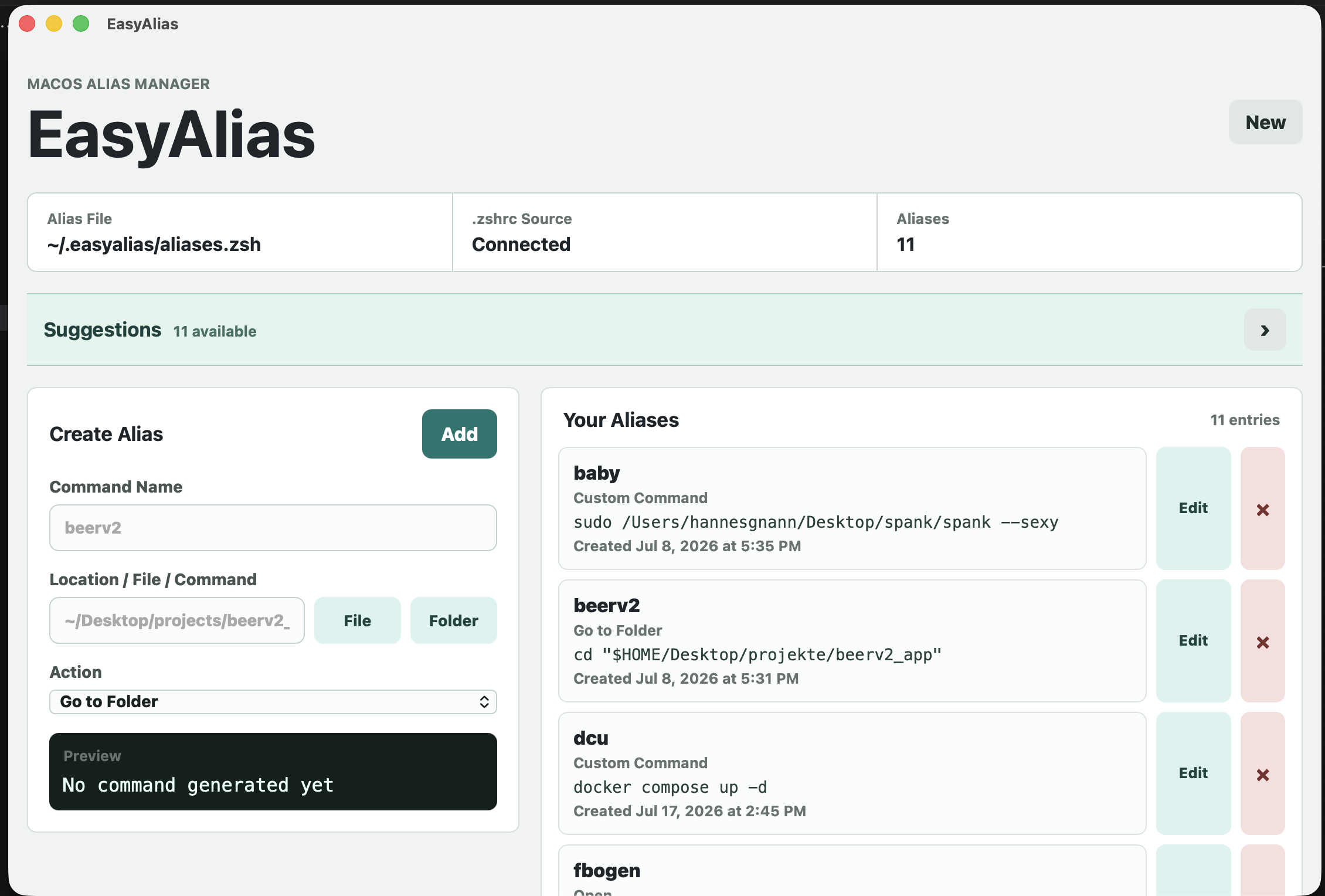
Local shortcuts. Real automations.
Your everyday commands, a shortcut away. Create aliases, automate terminal workflows, and schedule the repetitive stuff. All on your machine.
macOS Windows Linux MIT licensed
Also on the Mac App StoreDirect macOS, Windows, and Linux editions now include automations, timed runs, global shortcuts, tray mode, and themes.
01 / Platforms
Direct builds manage zsh aliases, launchd schedules, global shortcuts, and menu-bar background runs.
launchd + ~/.easyalias/aliases.zsh
Detects bash or zsh, writes managed aliases, and uses systemd user timers for scheduled workflows.
systemd --user + aliases.sh
Creates readable .cmd shortcuts and runs timed automations through Task Scheduler.
Task Scheduler + .easyalias\bin
02 / Automations
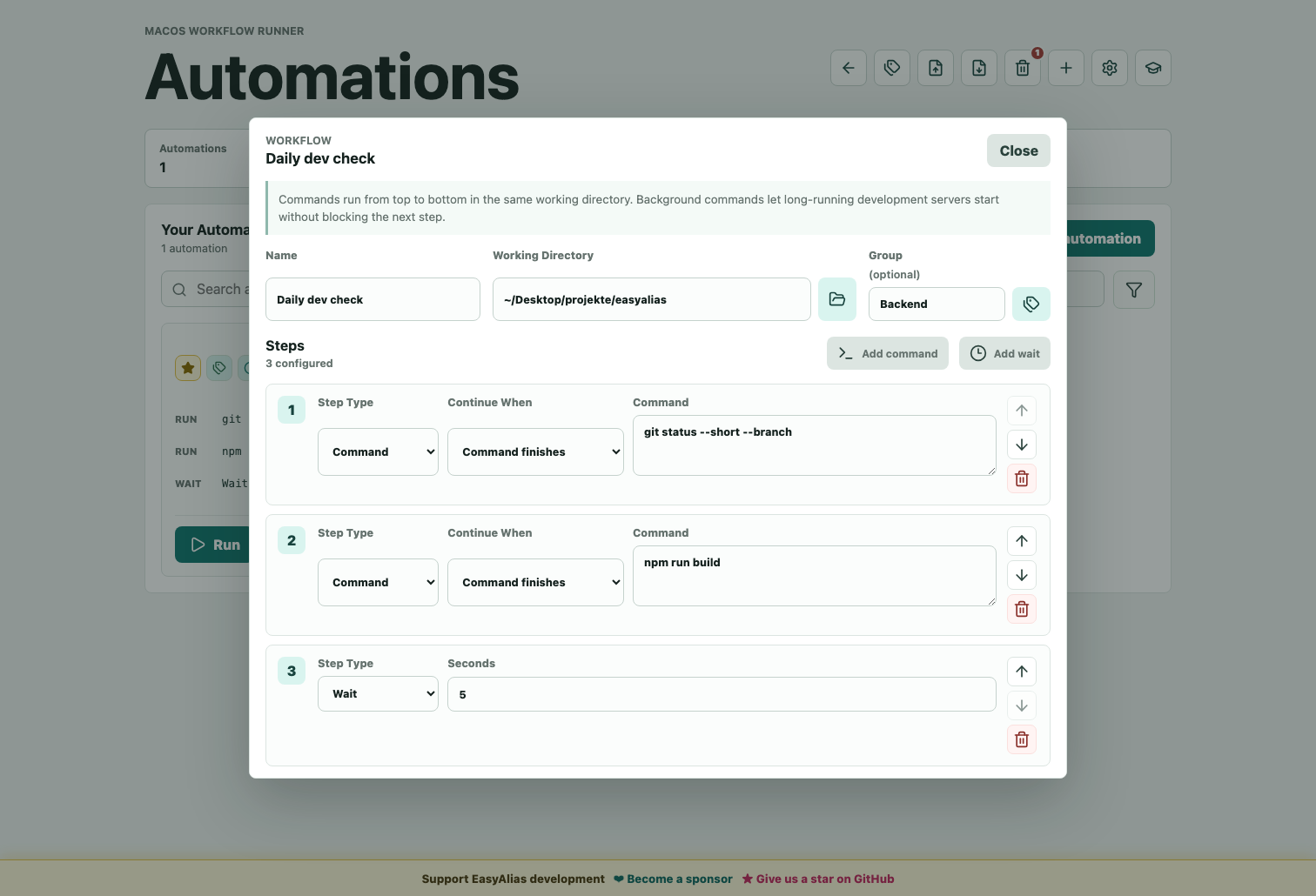
Chain Command and Wait steps. Every command in one run shares the same shell session, so cd and exported variables carry forward.
Fire at a fixed time or at the day's real sunrise or sunset for a selected region, optionally limited to weekdays.
Assign a system-wide shortcut to an automation. Conflicts with the OS, other apps, or another automation are detected before saving.
Switch Light, Dark, or System theme, choose hotkey behavior, toggle suggestions, and keep EasyAlias running from the menu bar or tray.
03 / Workflow
Create shortcuts, favorite the important ones, search by name or command, and browse 31 suggestions across Git, Docker, navigation, and build tools.
Group automations with free-text labels, run them with live output, stop them mid-run, and keep their backup and Trash separate from aliases.
Use global keyboard shortcuts, OS schedules, or the tray process so recurring local tasks can run while EasyAlias is out of the way.
Download ready-made aliases and automations from the EasyAlias Marketplace.
04 / Walkthrough
The graduation-cap button opens guided slides for the alias area, the automations area, and ways to support development. The video shows the same direction in motion.
05 / Install
EasyAlias is local software: no cloud account, no sync service, no hidden shell magic. The direct desktop editions include automations, schedules, global shortcuts, tray mode, and start-at-login. The Mac App Store edition is sandboxed and focuses on alias management.
Get EasyAlias on the Mac App Store06 / Inside the app
07 / Under the hood
EasyAlias keeps shell startup files tiny and writes managed shortcuts somewhere obvious.
~/.easyalias/config.json
~/.easyalias/aliases.zsh
~/.easyalias/aliases.shEach shortcut becomes a small command file under a folder added to your user PATH.
%USERPROFILE%\.easyalias\bin
%USERPROFILE%\.easyalias\bin\beerv2.cmd
where beerv2Automations, schedules, run logs, groups, and hotkeys live outside the alias config.
~/.easyalias/automations.json
~/.easyalias/timed-automations.json
~/.easyalias/timed-automation-logs/Aliases and automations have 30-day Trash plus selective JSON export and import.
~/.easyalias/trash.json
~/.easyalias/automations-trash.json
EasyAlias-backup-YYYY-MM-DD.jsonTheme, shortcut behavior, suggestions, and start-at-login are stored as readable JSON.
~/.easyalias/settings.json
Light / Dark / System
Show window / Run in background